WORK + PERSONAL
Your work calendar doesn't know about the dentist. Your personal calendar doesn't know about the 2:00 client call. That's how a perfectly open Tuesday becomes a double booking. Here's how to connect the two, and how much each method shares.
Combine your availability, not your details. Colleagues booking your time need to know you're busy at 3:00. They don't need to know it's a doctor's appointment. Most problems come from methods that share too much, or from doing nothing at all.
When you add a personal appointment, also add a block called "Busy" or "Personal" to your work calendar. It costs nothing and stays private, but it's easy to forget, and the work block stays put when the appointment moves.
In your personal Google Calendar, open Settings → Settings for my calendars, pick your calendar, and under Share with specific people or groups add your work address. Choose See only free/busy (hide details) to keep events private.
Your work account can now see your personal busy time. Colleagues and booking pages checking your work calendar usually won't count it, though. Sharing the other way, work into personal, is often blocked: Google Workspace admins can stop calendars being shared outside the company.
Apple Calendar on Mac and iPhone can show both accounts at once. Add each one in System Settings → Internet Accounts. It's a good way for you to see everything. Anyone booking your work calendar, though, still sees the personal slot as free.
Meetingpad connects to your work and personal Google accounts and adds a private "Blocked" event to one whenever the other has something. Colleagues checking your work calendar see that you're unavailable, not why. When the appointment moves, the block moves too.
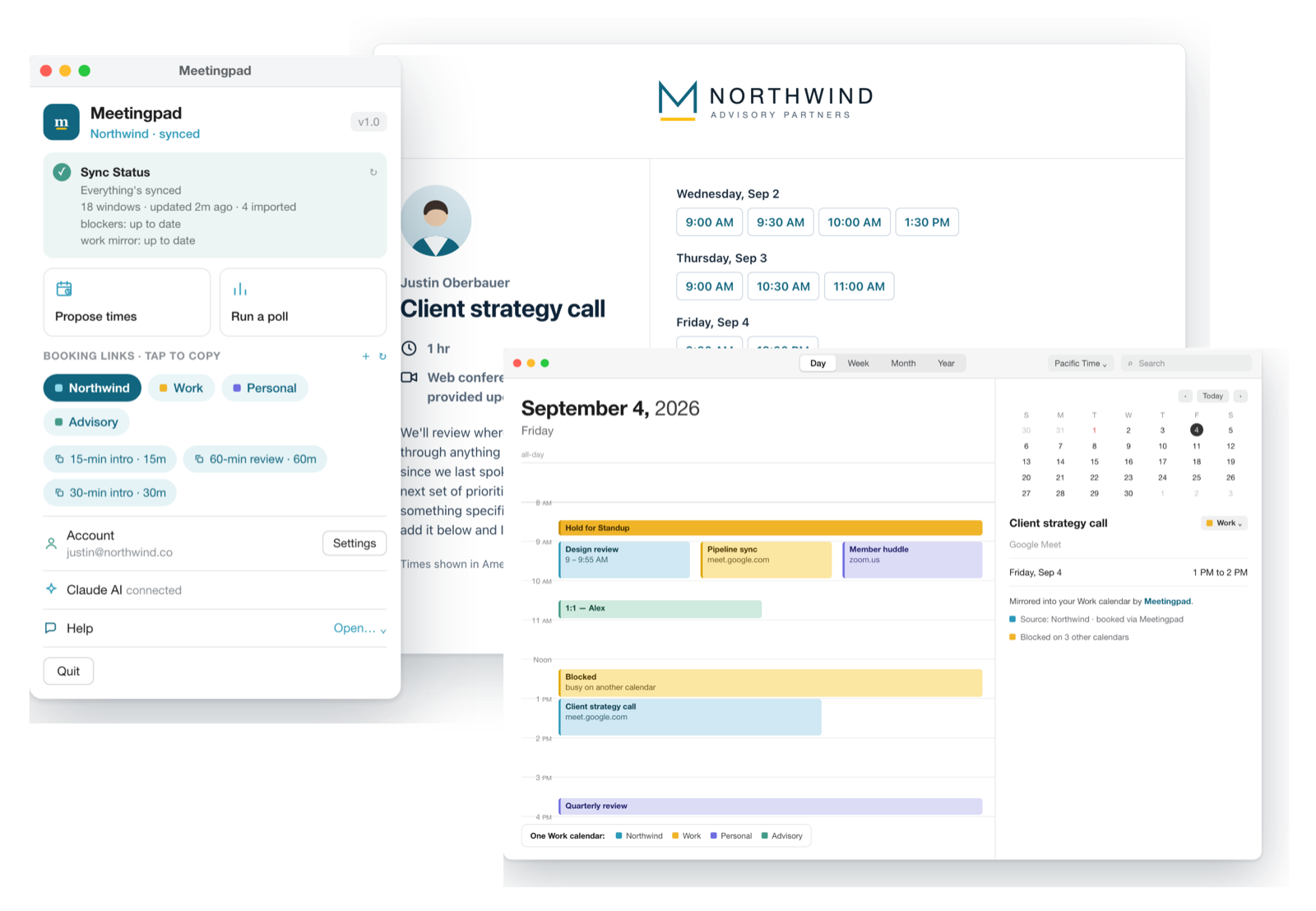
Only what you share. If you share your personal calendar with free/busy only, or use Meetingpad's private "Blocked" events, your work account sees that you're busy, not what you're doing.
Google Workspace admins can block sharing calendars outside the organization. If the option is greyed out or the invite never arrives, that's usually why.
Sync availability rather than details: your work calendar should show you're busy during personal appointments without showing what they are. Doing that automatically, so blocks move when plans change, avoids most double bookings.
Free plan, no credit card. macOS 14 or newer.