CALENDAR SYNCING
Short answer: you can't merge two Google accounts' calendars into one, but you can make each account aware of the other. The free way is to share one calendar with the other account. If you need your availability to stay correct for booking links, you need busy blocks that copy across automatically.
This is Google's built-in way, and it takes two minutes. On a computer:
calendar.google.com with the account that owns the calendar.Repeat in the other direction if you want both accounts to see each other.
What it leaves out: the shared calendar is only displayed. Booking pages and other people checking your free time usually look at the account's own calendar, so a meeting on one account can still be booked over from the other. Work accounts often can't share outside the company either, because Google Workspace admins can turn external sharing off.
In the owning account, open the calendar's settings and copy Secret address in iCal format. In the other account, choose Other calendars → + → From URL and paste it.
What it leaves out: subscribed calendars refresh on Google's schedule, which can take hours, so a meeting booked this morning may not appear until later. It's also read-only and one-way. Anyone with that address can see your calendar, so keep it private.
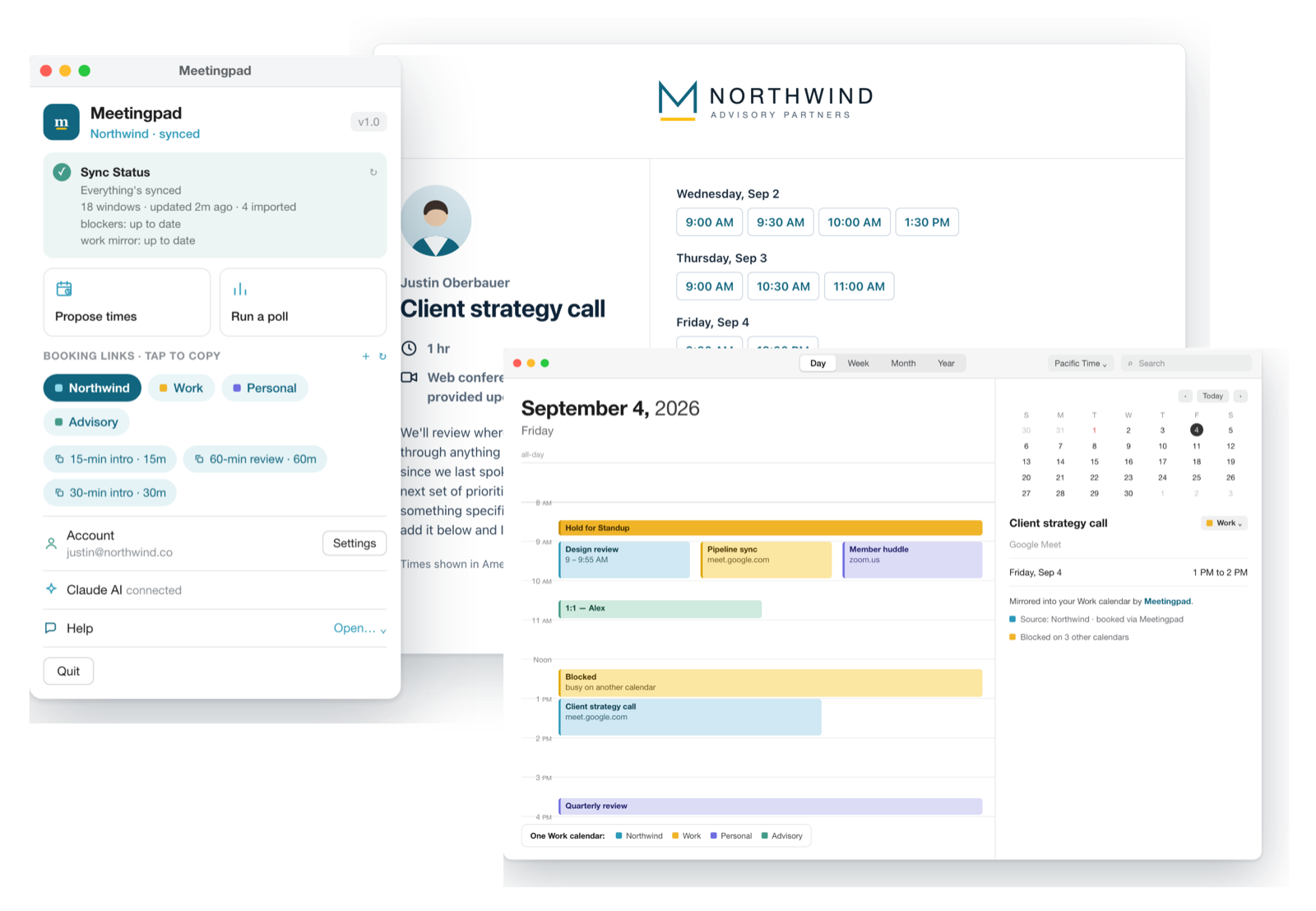
Meetingpad connects to each of your Google accounts and watches when you're busy across all of them. When a meeting lands on one account, it adds a private "Blocked" event to the others. People checking those calendars see only that you're busy, and each account shows the right free time. Turn it on with Mirror busy across calendars in Meetingpad's settings.
| Share | Secret address | Meetingpad | |
|---|---|---|---|
| Cost | Free | Free | Free plan |
| Updates | Right away | Can take hours | Automatic |
| Works if your company blocks sharing | No | Often no | Yes |
| People viewing the other calendar see event details | Yes | Yes | No, only "busy" |
| Keeps your free time correct for bookings | No | No | Yes |
No. Google doesn't merge accounts or their calendars. You can share a calendar from one account to the other, subscribe to it with its secret address, or use a tool that copies busy time between them.
Sharing only displays the other calendar. Booking pages and free/busy checks usually look at the account's own calendar, so time that's busy on your other account can still look free.
Calendars added from a URL refresh on Google's schedule, which can take several hours. Sharing a calendar directly updates right away.
Each block is a private event titled "Blocked", so people viewing that calendar see only that you're busy. Its private notes say which meeting it mirrors, visible only to you and anyone with full access to that calendar.
Free plan, no credit card. macOS 14 or newer.